Reports
Scan PCs without agent software.
Network Asset Tracker Pro supports different scanning methods. You can scan your entire network without having to deploy agents. All you need is lunch Network Asset Tracker Pro on one of the network computer.
Network Asset Tracker Pro also supports inventory with
logon script or with installed agent in case you do not want to use WMI. Using these methods are optional. You can make network inventory just out if the box.
Detailed information about your computers and network is equal with any scanning method. Hardware inventory, with deep information about HDDs, RAM, CPU and other. Software Inventory with licenses count, product keys.
Scan computers off-site.
With Network Asset Tracker Pro you can easy scan off-site computers. NAT Pro Agent makes Hardware and Software Inventory on your off-site or off-line (without internet access) computers. You can easy import scanned information to the NAT Pro Database.
This method is ideal for high secure computers or for laptops which is often out of site.
Inventory Network Devices
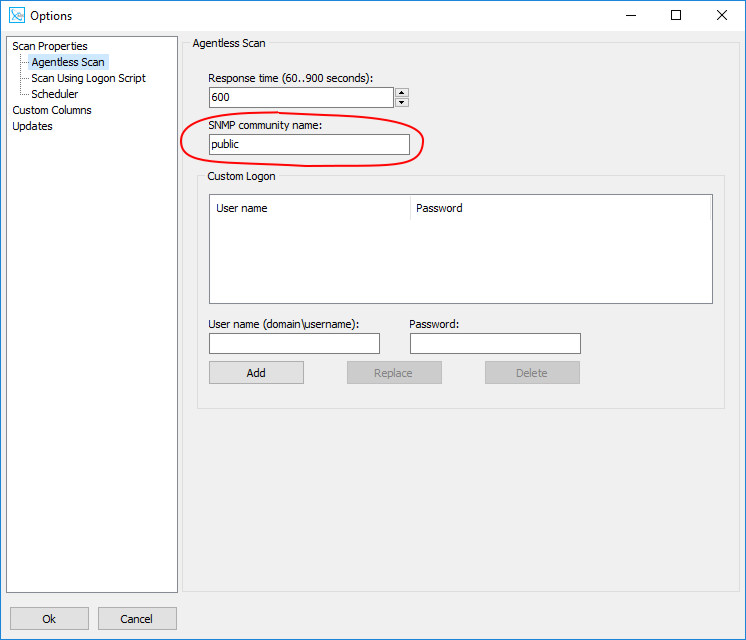
Network Asset Tracker Pro scans network devices across your network with
SNMP protocol.
Immediately scan, logon script, schedule scan.
Network Asset Tracker Pro supports many scanning methods. With any of these methods, you can scan any computer inside your workgroup or domain, outside your domain or even off-line.